SCM - Adithya - 2017-10-16 - 54025 - Spec - ERS Invoice Message Determination email (Pragnya by 201-10-24) #Quality
SPECIFICATIONS
54025 - Spec - Message Determination for ERS Invoice (email)
Purpose
Message Determination for ERS Invoice (email)
Admin Info
| Purpose |
Message Determination for ERS Invoice (email) |
| Requested By |
Pragnya |
| Spec Created By |
Adithya |
| Spec Created Date |
10/16/2017 |
| Spec QA by |
Adithya |
| Objects |
SPRO |
| Document Status |
Complete |
Estimates
| Sl.No |
Activity |
Estimation in Hours |
| 1 |
Research |
|
| 2 |
Documentation |
04 |
| 3 |
Development/ Config |
04 |
| 4 |
Unit test in DEV |
04 |
| 5 |
Unit test in QUA |
|
| 6 |
Other activity |
|
| TOTAL |
12 |
Prior Tickets
[Provide links of prior associated Spec / Break Fix BOSS document(s)]2017-10-09 - 54025 - Procedure - ERS SAP Configuration
2017-07-10 - 46710 - Research - ERS Technology evaluation and effort estimate
Documents
[Attach any document(s) received for the requirement(s)]Spec Changes
[List the changes made to program after the approval of the original requirement along with the Date on which the change request was received and the name of the initiator]
| Sl. |
Change Details |
Requested By |
Requested On |
Notes if any |
Functional Requirement
Purpose/WHY:
[Explain the purpose of the project and the reason why this requirement has come]ERS Invoice Form shall be sent to Vendor as email communication. The Output which is generated for the ERS invoice shall trigger the email.
In Scope:
[List the activities to be included in scope]Out of Scope:
[Out of scope activities]
Solution Summary
[Discuss this section with Requester and get approval prior to beginning work]
1. Maintain the Output ERS
2. Master Data Maintenance
Test Plan
[List test scenarios/cases to be executed here]| Test ID |
Test Scenario |
Expected Results |
| ERSM1 |
Create ERS Invoice manually and Check the Output 1. NB CHR PO 2. NB TAB CHR PO 3. Z3NB CHR PO |
The Output shall be generated and an email has to be triggered for the email ID maintained in the Vendor Master 1. Do MIGO on PO. 2. Do MIGO on PO. 3. Carry out PGR on Inb Delivery |
| ERSM2 |
Execute a background job to create ERS Invoice and check the Output 1. NB CHR PO 2. NB TAB CHR PO 3. Z3NB CHR PO |
The Output shall be generated and an email has to be triggered for the email ID maintained in the Vendor Master 1. Do MIGO on PO. 2. Do MIGO on PO. 3. Carry out PGR on Inb Delivery |
| ERSM3 |
Create a Non ERS PO Invoice |
ERS Output shall not be generated |
[Provide complete technical details for configuration or programming here]
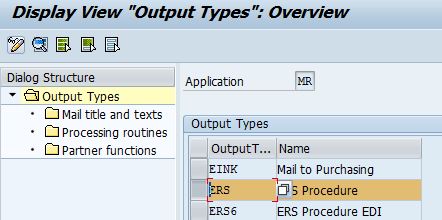
1. Use the existing standard output "ERS"
SPRO --> Materials Management --> Logistics Invoice Verification --> Message Determination
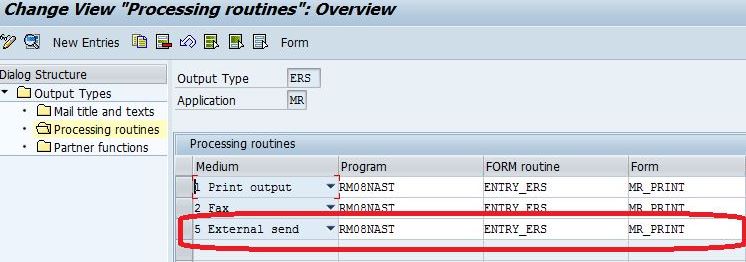
Maintain Program, Form Routine and Form for Medium "5 External Send" in Processing Routines:
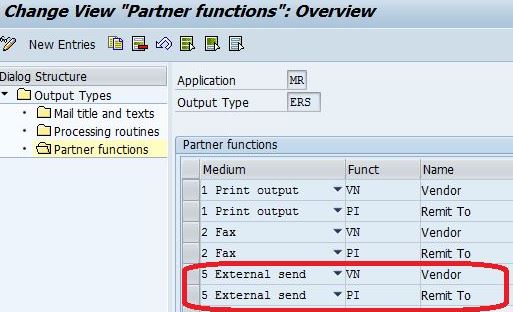
Maintain Functions for Vendor and Remit To with medium "5 External Send" in Partner Functions
2. Master Data Maintenance:
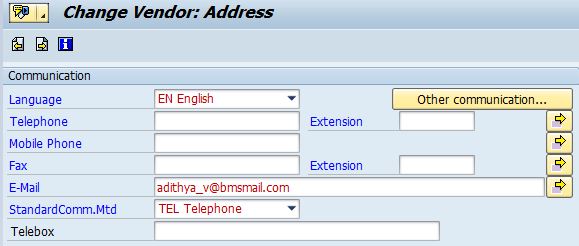
2.1 Maintain email ID in the Vendor Master.
Maintain the email ID of the Vendor in the Vendor Master, for which we wish to send the email of the ERS Invoice Form.
2.2 Maintain Condition Records.
Maintain Condition Records with the key Combination "Company Code + Invoicing Party"
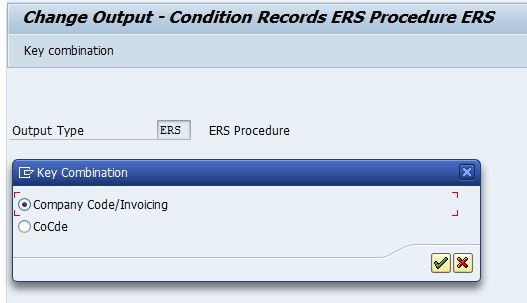
Maintain Condition Records:
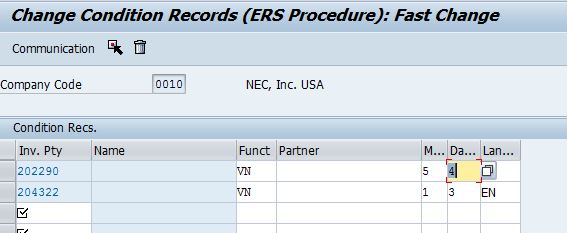
Invoicing Party - Vendor Number or the Invoicing Party (for whom we need to send the Invoice to)
Function - VN Vendor
Medium - 5 External Send
Dispatch time - 4 Send Immediately.
Language - EN
3. Process:
Here is the sample process of the message determination:
1. Create a CHR NB Purchase Order:
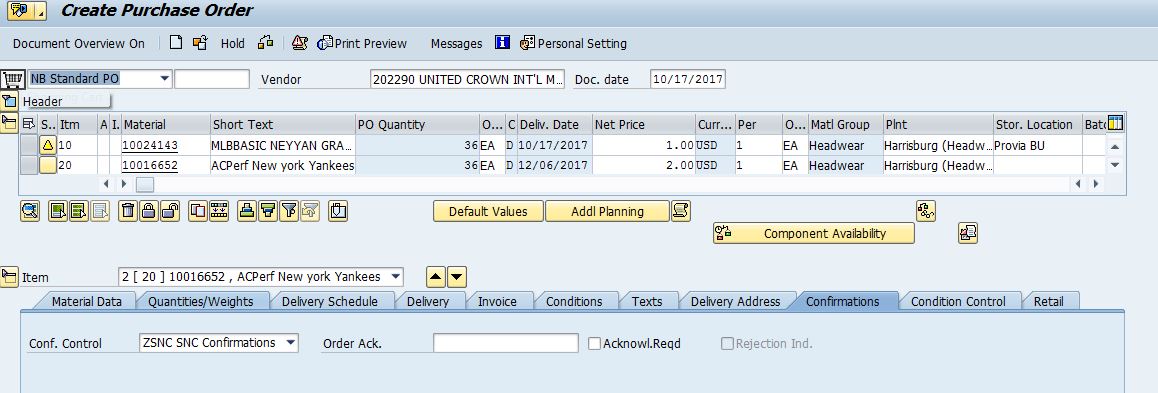
2. Create Inb Deliveries (Automatic Job)

3. Carry Out MIGO on the PO, (some time MIGO Is carried out via IDOC - Check that process as well)
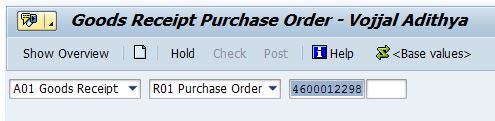
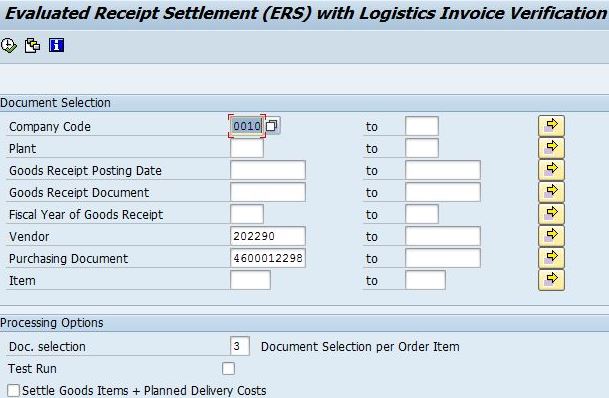
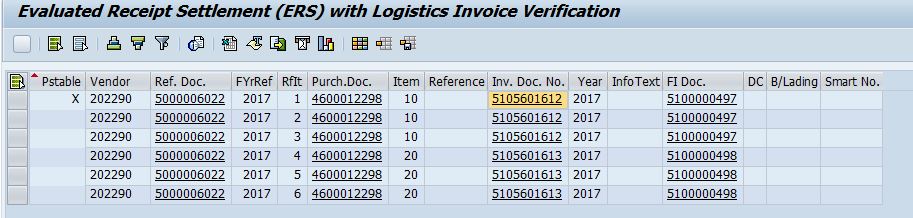
4. Run ERS "MRRL" Transaction to create Invoice: (This could be a background Job)
Here the selection - Create Invoice Per Purchase Order Item - Which can be changed as per the requirement.
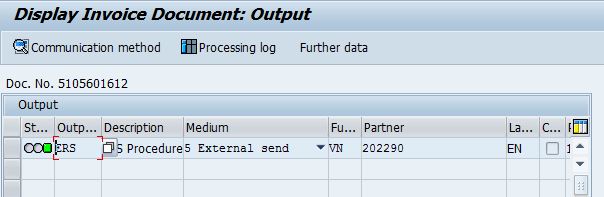
5. Check the Output generated for the ERS Invoice.
Since dispatch method is "4 - Send Immediately" the output is processed when the ERS Invoice is created.
6. Check SOST if the Send Request is generated for the Recipient email in the Vendor Master:
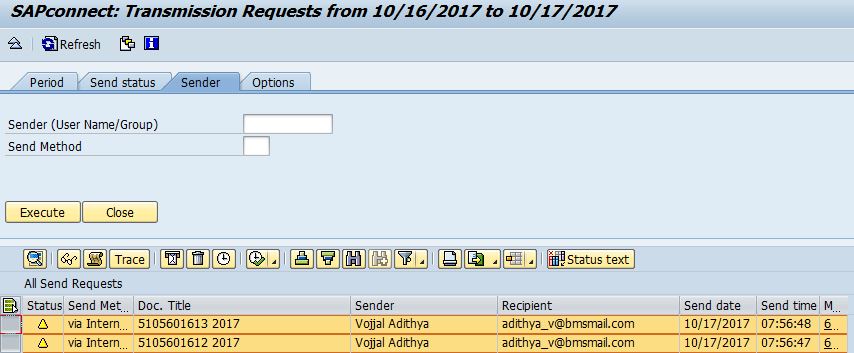
7. The background Job shall process the Send Request and send the email.
Issues
[List Issues / Bugs identified in configuration or development]
1. Need to validate once this configuration is moved to Q.
2017-10-24 - 54025 - Rel Notes - ERS Invoice Message Determination email